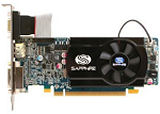
Black patches on your screen or ragged
image rendering when running screensavers usually means at
the least your video card drivers need to be updated. Given
the state of rapid technology advances, more than not the
card should be replaced with ones with newer graphics engines
and more memory. The average video cards that come with mainstream
retail computer systems are unvaryingly low end products.
The anemic performance becomes quickly pronounced with time
as applications and games continue to grow more complex.
The profit margin of computer manufacturers being thin, cutting
corners with the video card seem to be the favorite tactic
for keeping costs down for mainstream and value systems manufacturers.
Many systems do not even have a video card and that function
is built into the motherboard as an on-board video
solution. Those are fine for general web browsing but become
increasingly inadequate for playing games, watching movies
and other home entertainment functions. The main problem being
that the system memory is shared between the video system
and the processor which usually results in not enough for
both. Most mainstream video cards come with at least 256
MB of dedicated memory. A decent system can be purchased
new for $600 to $800 and usually all it will need is a video
card upgrade to make it into a solid all around system.
A word of caution in upgrading is compatibility. Many major
brand computer systems, especially older models, use proprietary
hardware, such as motherboards and power supply that cannot
be substituted with commonly available industry standard components.
See Dell Upgrades.
Most motherboards with on-board video solutions provide a
slot for a video card. The ATI RADEON XPRESS 1100
Series is one of these that comes with the popular Compag
Presario SR217ONX model. It provides a slot for a
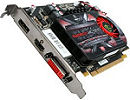
PCIe16 video card, the current mainstream video card like
the ones above. When the system recognizes the new card it
should automatically disable the on-board video unit.
Since almost all new computer systems ship with Windows Vista
operating system and their dominance inevitable, it makes
sense to look for hardware that is compatible or better yet
Vista Certified.
Unless money is of no object and you can upgrade constantly,
it is futile to spend the premium for the fastest or the latest
hardware. A top-of-the-line product becomes a mere middling
within a year and so on at an accelerated rate. For the average
person, it is best to look for the "sweet spot",
the "best bang for the buck", between the Jetsons
and the Flintstone solution when looking to upgrade hardware.
Currently the nVidia 9 series video cards offer some of the
best price performance combination. If your system has Vista
or an upgrade to it is in the future, you must get the 6000
series and above models. Higher the number means newer the
model and ones below 6000 are not and will not be Vista supported.
Vista compatible drivers will not be available
for those models.
We use the Zotac version of nvidia
GeForce 8800gt and a 9600gt which
were about five or six models down from the top but still
plenty fast for us. At the time of purchase in 2008, they
were the "sweet spot".
Make sure your system motherboard can accept a video card
upgrade and that the particular card is compatible with your
system and will physically fit on the motherboard and in the
case. If your system is more than two years old, installing
a high end card may require a bigger power source. Sort of
like putting a turbo charged engine in your grand mother's
car, you'd want to upgrade the brakes, steering, shocks etc.
you get the idea.
If you do not already have a LCD monitor you should consider
getting one. The prices have fallen to where a good quality
19" wide screen can be found for under
$150. A monitor with both digital (DVI) and
analog (VGA) input connections is best for
versatility. You can use it on older machines and you will
be ready when everything becomes digital. We were sold on
the Hanns G. 19" wide screen with its
unbeatable price performance combination and have no regrets.
Quite a difference between a LCD and CRT (tube type) monitors,
the most noticeable being the brightness of the LCD screen.
Wide screen makes working with spreadsheets easier since you
can see more of it, the same with games, movies and all other
applications.
Newegg.com is an excellent retailer of computer hardware
you should check out.
tomshardware.com is a great site for computer
hardware information.
extremetech.com is another great site for
computer hardware information.
Interactive video card comparison chart at Tom's Hardware
Guide VGA Charts http://www.tomshardware.com/reviews/gaming-radeon-hd-geforce-gtx,2676.html
|